Use the File Explorer
| Module | Cloudlink - Storage |
| Technical Name | cloud_link |
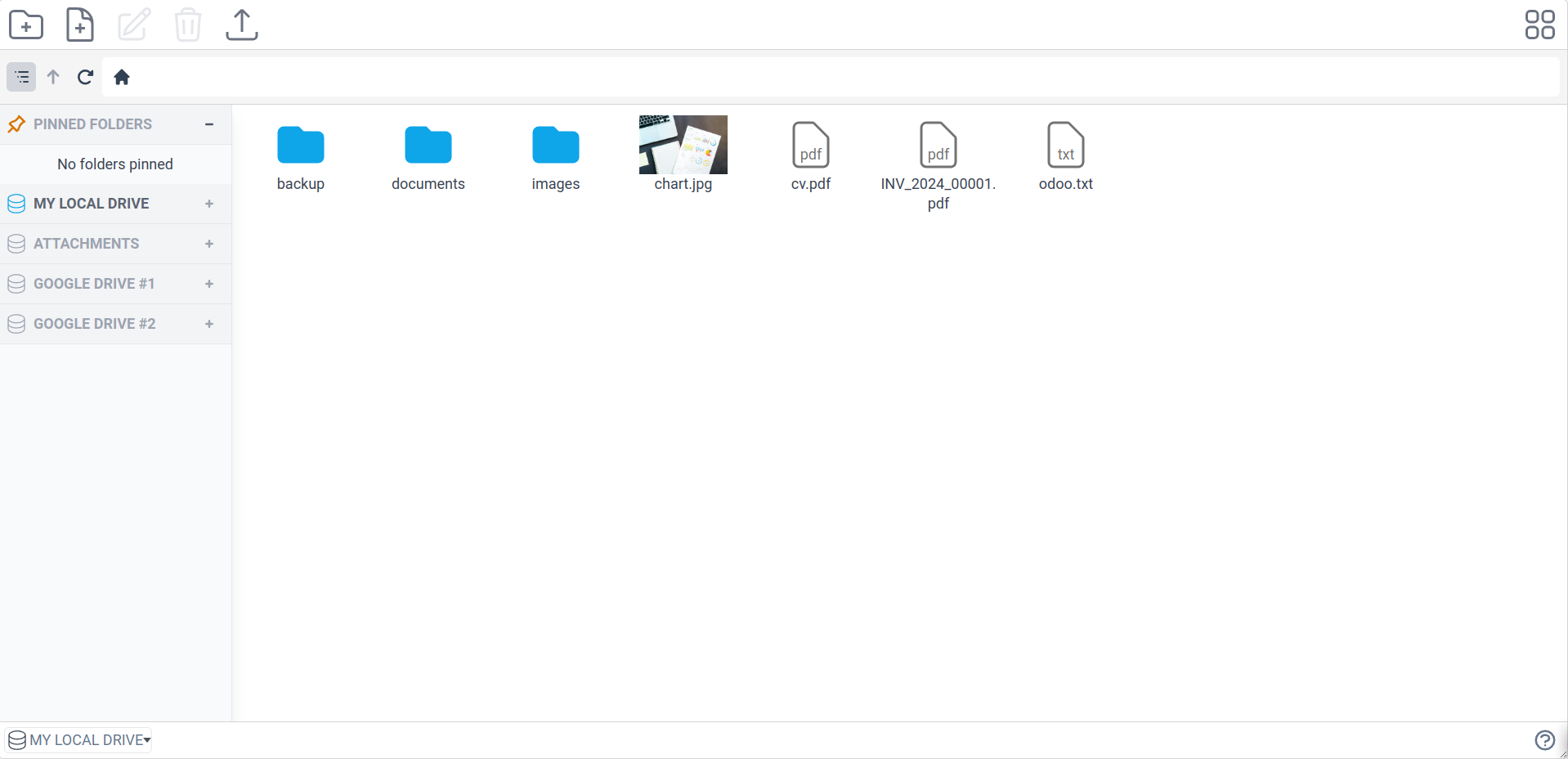
The integrated File Explorer allows you to browse and manage files across all your mounted drives from a single interface. It provides a familiar desktop-like experience within Odoo.
Accessing the Explorer
Go to Cloudlink > File Explorer to open the explorer. You will see a list of your mounted drives on the left sidebar. Click a drive to browse its contents.
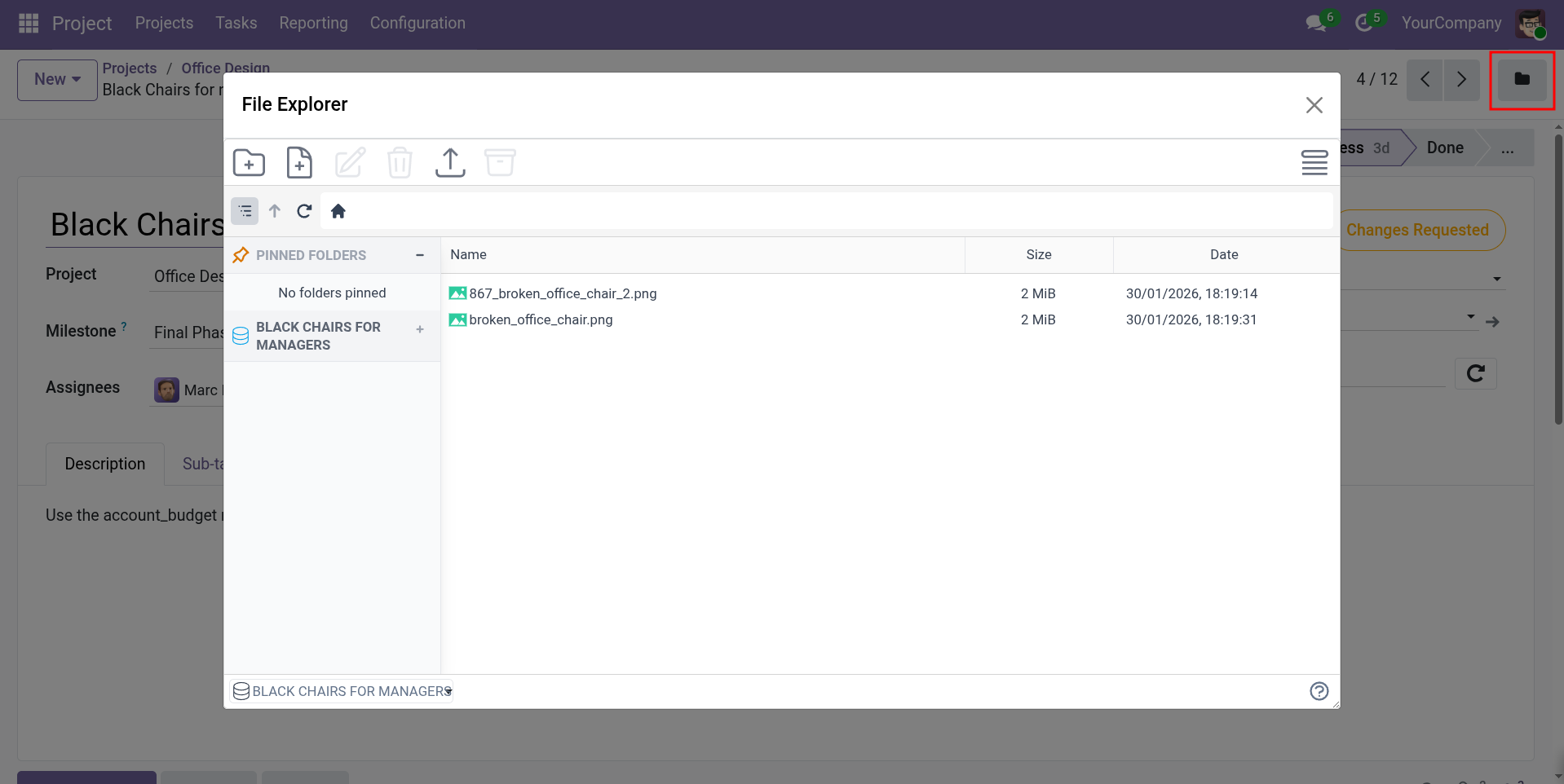
Contextual Access: You can also access the File Explorer directly from Odoo records (like Partners or Sales Orders) if the Filestore is configured with the File Explorer option enabled. This opens a the File Explorer of the files and folders associated with that specific record.
Features & Operations
Basic Operations
- Upload: Drag and drop files from your computer or use the Upload button.
- Download: Select files and click Download. You can download folders or multiple files as a ZIP archive.
- Create: Create new folders and empty files.
- Rename/Delete: Right-click or use the context menu to rename or delete items.
View Modes
- List View: detailed view with columns.
- Grid View: Large icons, great for images.
Preview
- File Preview: Click on images, PDFs, and text files to preview them directly in the explorer without downloading.
Navigation
- Breadcrumbs: Use the top bar to navigate back up the folder hierarchy.
- Pinned Folders: Pin frequently accessed folders for quick access.