Synchronize files between drives
| Module | Cloudlink - Storage |
| Technical Name | cloud_link |
Sync Jobs allow you to automatically copy or mirror a directory from one drive to another. This is useful for backups, migrations, or keeping a local folder in sync with a cloud drive. The synchronization occurs automatically at a specified interval.
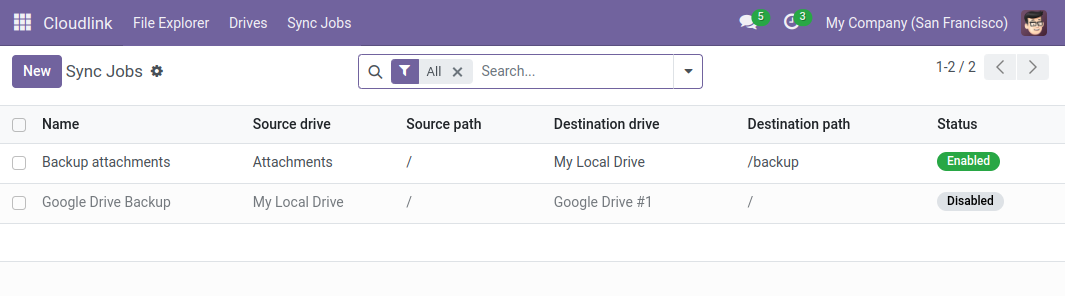
Creating a Sync Job
- Navigate to Cloudlink > Automation > Sync Jobs.
- Click New.
- Configure the source and destination.
- Set the schedule.
Configuration
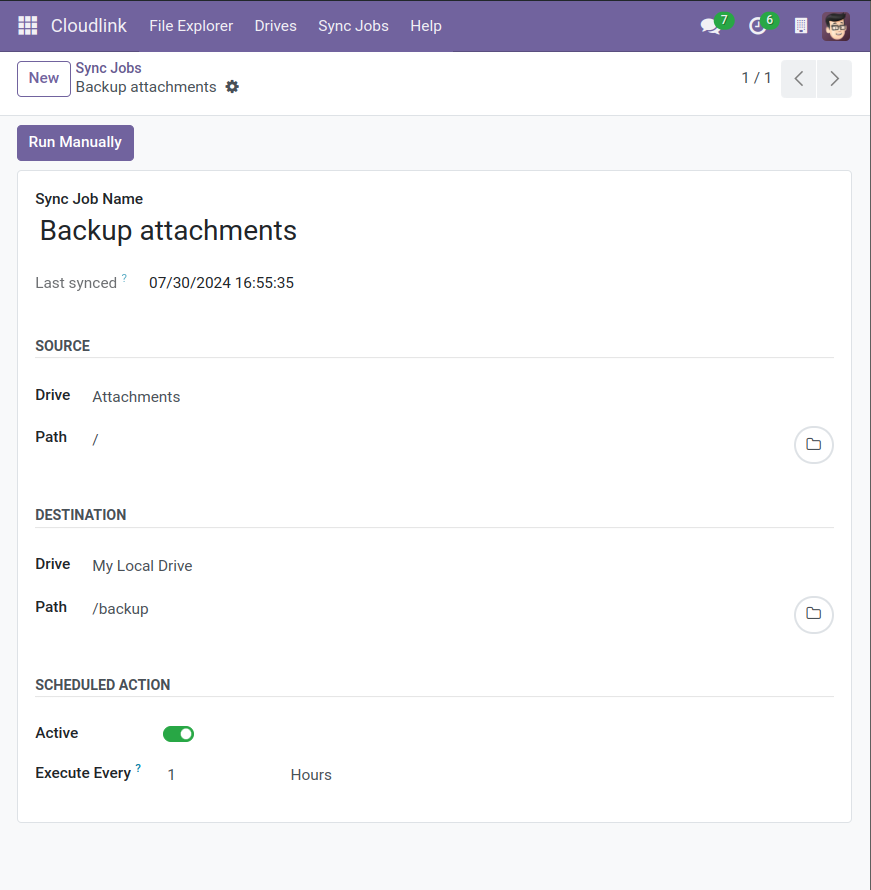
Source & Destination
- Source Drive / Path: The folder to read from.
- Destination Drive / Path: The folder to write to.
Scheduling
- Active: Check to enable automatic execution.
- Execute Every: The interval between runs (e.g., every 24 Hours).
- Next Execution Date: The next scheduled run time.
Notifications
If a sync job fails, a notification is sent to the followers of the sync record. Add yourself as a follower to receive alerts via email or Odoo Discuss.
Performance Note
Syncing large folders can take time. By default, Odoo kills background workers after a certain timeout (often 120 seconds). For long-running Sync Jobs, you may need to increase the limit-time-real parameter in your Odoo configuration file (odoo.conf).